Run your PhD like a project, and finish it.
Roughly half of PhD candidates do not complete their degree, and research suggests the causes are rarely scientific: lost overview, slipping milestones, supervision that sees problems late. PhD Planner keeps the whole trajectory visible, for you and for the people supervising you.
Completely free.
Evidence
What the research says about finishing a PhD
The conditions around the work, supervision, structure and a sense of progress, predict completion at least as well as the research plan itself. PhD Planner is organised around these findings.
of PhD candidates in Western countries do not complete their degree
Frontiers in Education, systematic review, 2026
of PhD students have sought help for anxiety or depression during their PhD
Nature survey, 6,300 respondents
predictor of completion is the quality of the supervisory relationship, consistently across studies
Multiple meta-analyses incl. The Conversation evidence-based guide
differentiator between completers and dropouts: the felt sense of making progress on a structured plan
Devos et al., European Journal of Psychology of Education
Sources: Frontiers in Education (2026) · Nature (2018) · The Conversation · Devos et al. (2016)
Progress you can see
In studies of PhD completion, a felt sense of progress on a structured plan distinguishes candidates who finish from those who stop. Running each study as its own project keeps that progress visible: what is moving, what is stuck, what comes next.
- Statuses that match real life: idea → data collection → analysis → writing → submitted → under review → revisions → published
- Tasks with categories, deadlines and status
- See progress per study at a glance
A thesis that takes shape gradually
Your studies become the chapters of your book. Linking them early means the thesis builds up alongside the research, rather than being assembled under pressure in the final year.
- Order chapters (introduction, studies, discussion, summary)
- Link each study to its chapter
- See what's still to do per chapter
A realistic view of the time that remains
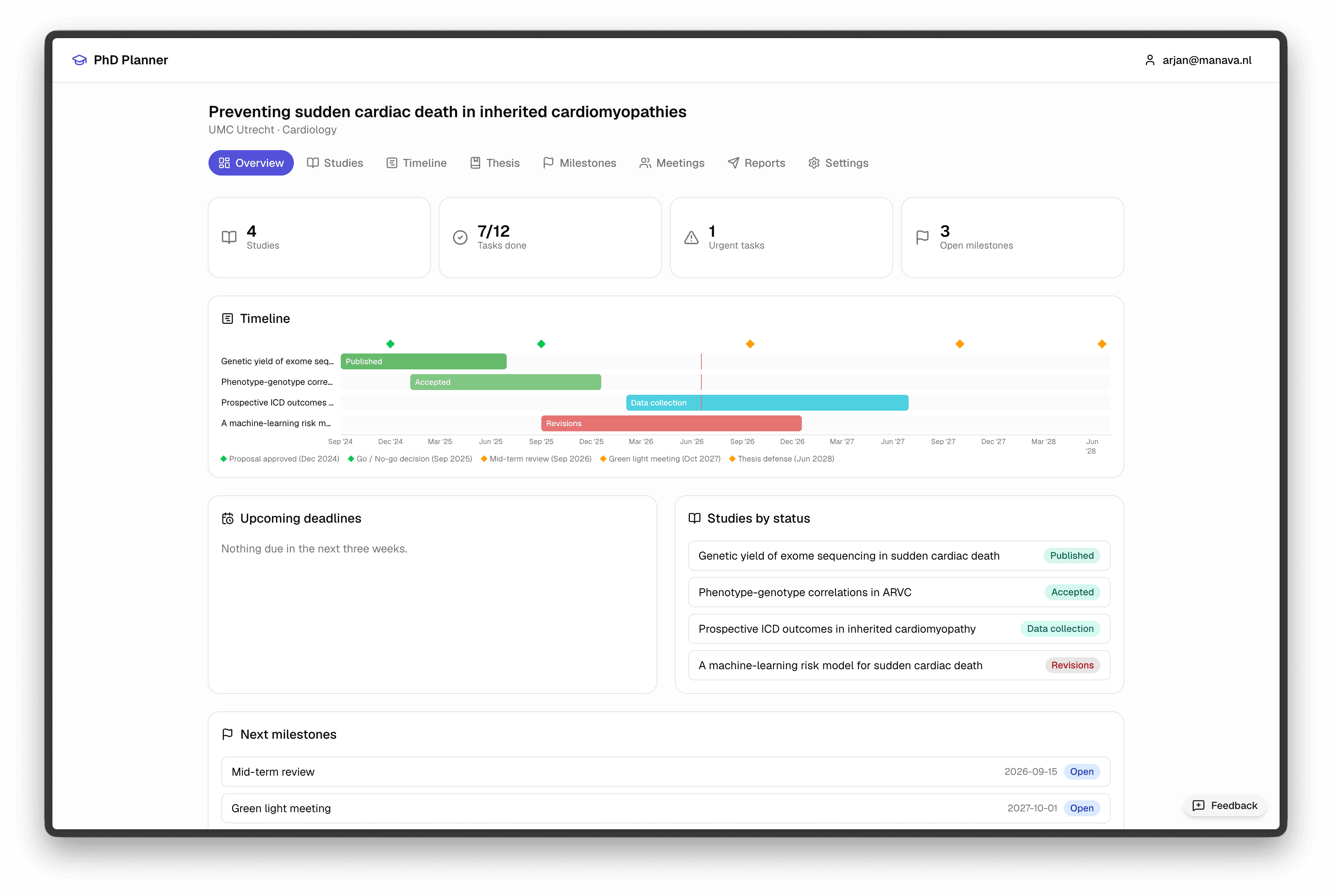
Four years is less time than it appears once data collection, review rounds and revisions are counted in. One timeline shows every study and milestone, and how much time remains until the defense.
- Opens centred on today; zoom from overview to detail
- Go/no-go, mid-term review, green light, defense milestones
- Time-to-defense progress at a glance
The formal checkpoints, planned
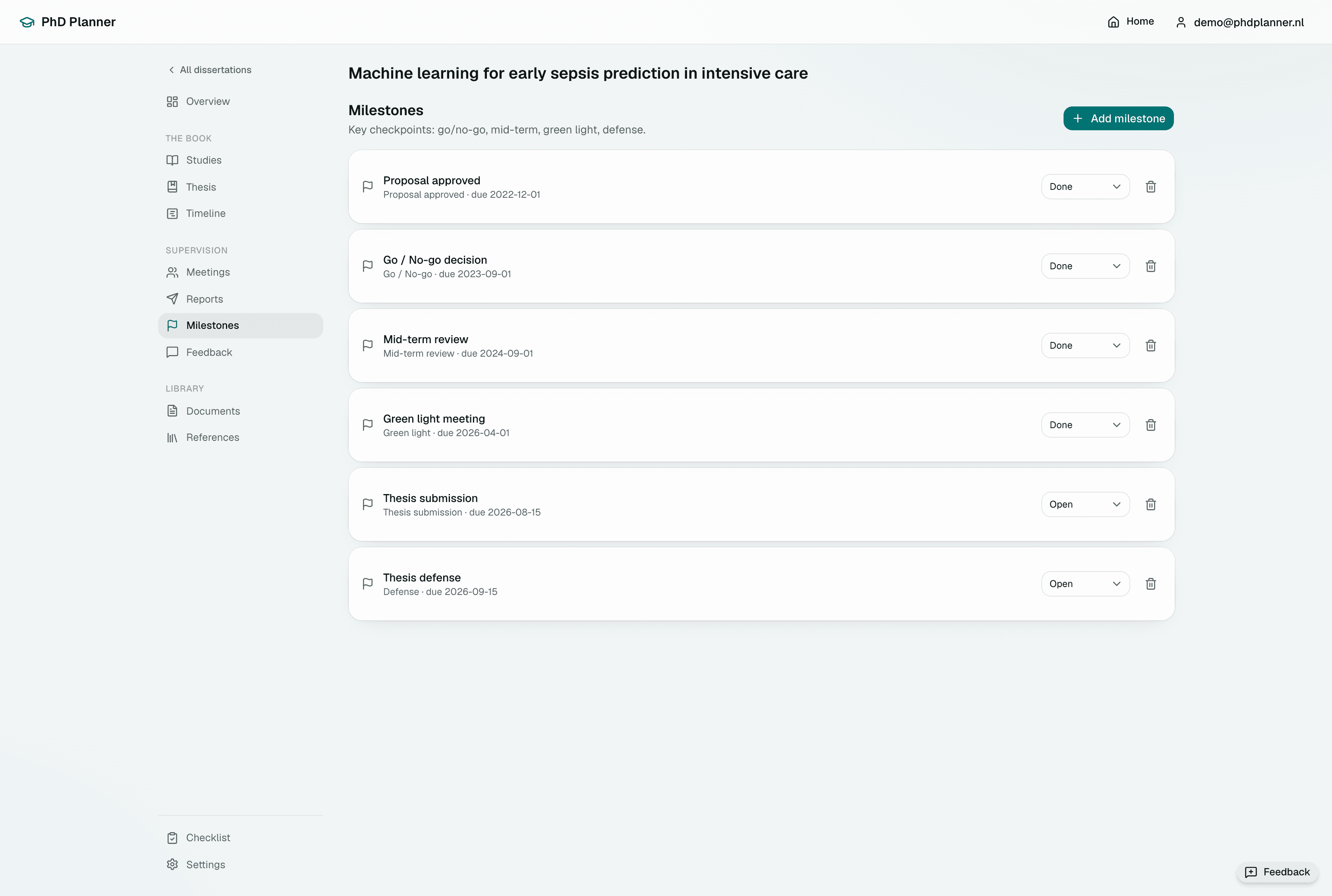
Every PhD has the same official gates: proposal, go/no-go, mid-term review, green light, submission, defense. Put them on the calendar from day one so nothing sneaks up on you.
- The standard PhD milestones as a ready-made list
- Each milestone appears as a marker on your timeline
- Track them from open to done as your trajectory unfolds
Meetings that make supervision work
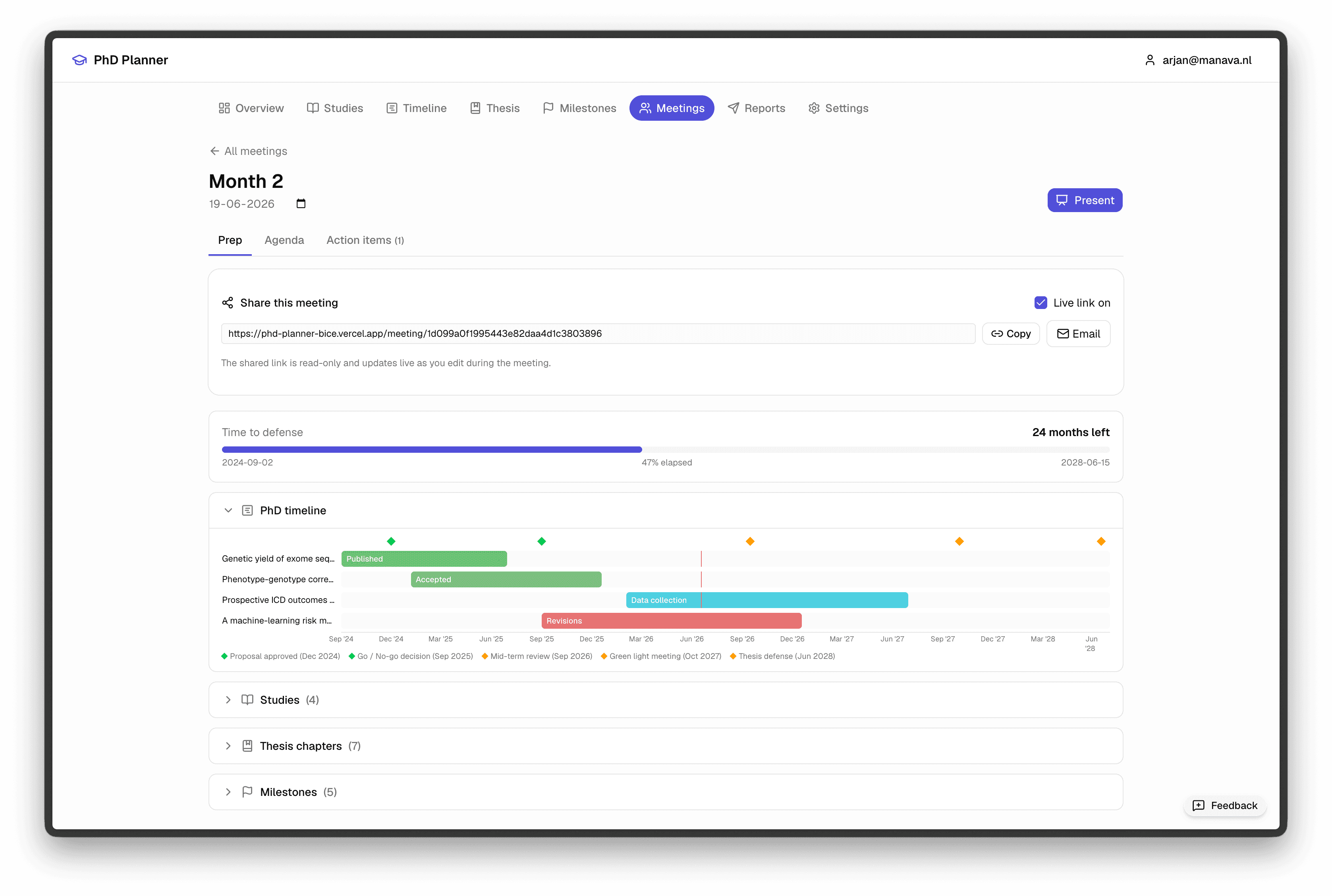
Across studies, the quality of the supervisory relationship is among the strongest predictors of completion, and it is largely built in meetings. Preparation, a clear agenda and recorded action items make those meetings count.
- Prep: timeline, studies, chapters and what's left, all clickable
- Present mode for the big screen; capture action items live
- Share a read-only live link, or send it by email
One shared picture during meetings
Go fullscreen for the meeting, and give supervisors a link that follows your edits live. Everyone discusses the same, current state of the work, without screen-sharing or separate slide decks.
- Fullscreen present view with agenda + action items
- Supervisors see the same progress context, live
- One-click progress reports with a shareable link
Progress reports without extra work
One click produces a read-only report of the current state: summary, timeline, studies and milestones. Useful between meetings and for assessment committees, with no account needed on the reader's side.
- One click turns your current state into a report
- Public link works without a login, perfect for committees
- Summary, stats, timeline and per-study progress in one page
It's not just the work, it's the structure
Built by someone who did a PhD. When you start, PhD Planner gives you the success conditions as free tips and to-dos, and tracks them as you go.
Your supervisory team
Line up 1–2 promotors and 1–2 co-promotors and keep them in the loop.
An external committee, on time
Start forming your assessment committee early, not in the final year.
Regular progress meetings
Meet every 3–6 months at first, then at least yearly, scheduled ahead.
Formal milestones
Go/no-go, mid-term review, green light and defense, planned from the start.
A defense date to aim for
Anchor your timeline to a target and work back from there.
A clear thesis structure
Know which studies become which chapters, and what's left per chapter.
For supervisory teams
An informed view of each trajectory
PhD Planner is not another reporting form for candidates to fill in. It is their own planning tool, and supervisors read from the same source.
Insight per trajectory
Progress reports and live links show each candidate's studies, milestones and remaining time, as they stand today rather than at the previous meeting.
Prepared meetings
Candidates arrive with an agenda, a progress snapshot and the action items from last time, which leaves the meeting itself for substance.
A picture that stays current
Reporting tools tend to fail when they add administrative work. Here the report is a by-product of the candidate's own planning, so it stays current without separate upkeep.
How it works
Add your studies
Capture each paper/study and its tasks.
Plan the timeline
Set dates and milestones across your PhD.
Build the thesis
Arrange studies into ordered chapters.
Run meetings
Prepare, present and share with supervisors.
Your PhD, organised.
Free to use. Organised around the research on PhD completion.